

Introduction
This section provides a concise overview of the content that follows, highlighting key points and summarizing the main ideas.
TL;DR
In this section, we will cover:
- Overview of the topic: A brief description of the subject matter.
- Key findings: Highlighting the most significant results discovered.
- Conclusion: Summarizing the overall implications of the findings.
One live video should do all the work (and why custom content for every platform is a trap you can’t afford)
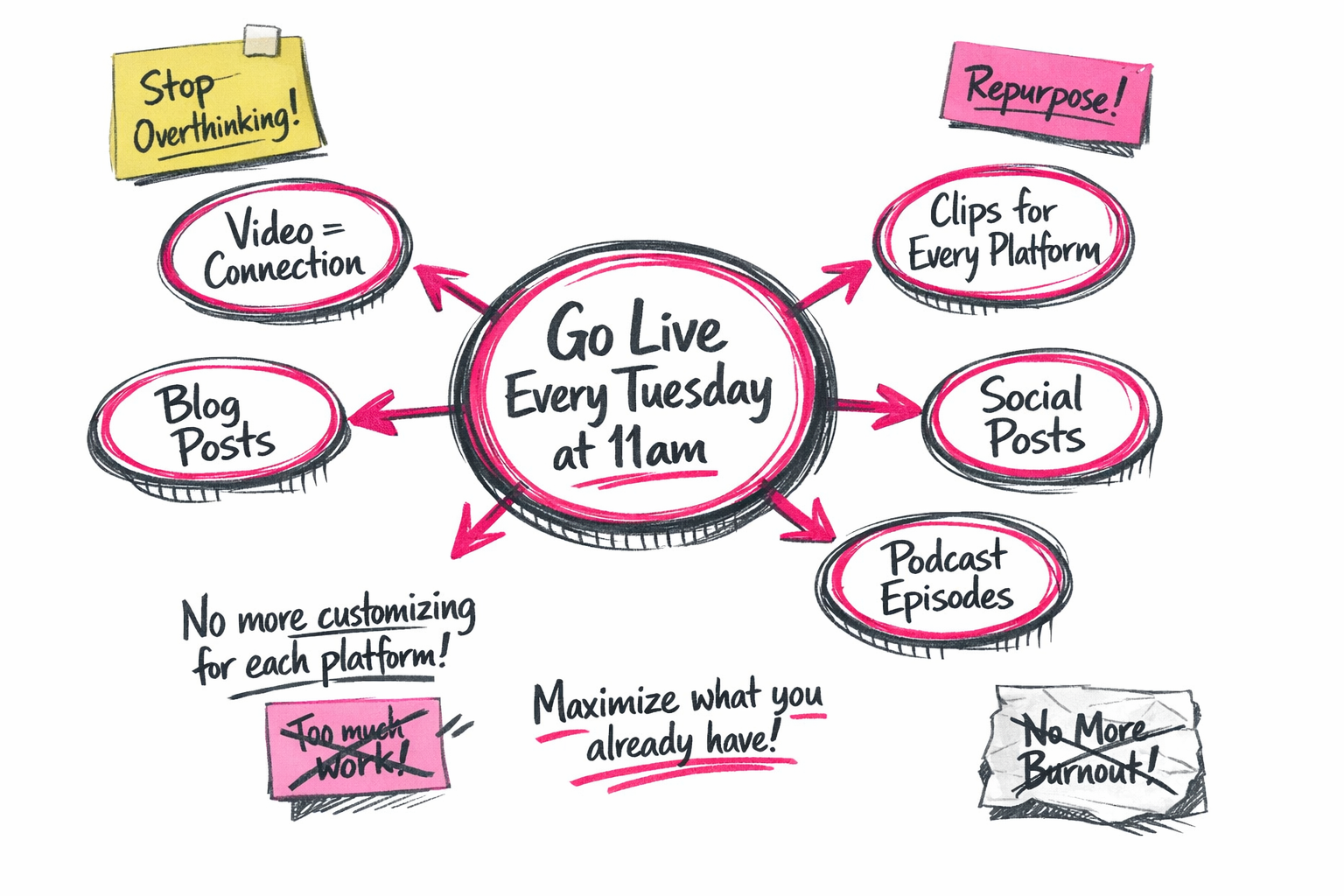
I’m going to be really clear about something. I do not have time to custom create reels. I do not have the will to custom create reels, and quite honestly it will just never happen. I’ve got four children, two businesses, and what little time I have left needs to actually count. So the whole idea that Facebook is not pushing lives anymore and it is all about the reels completely misses the point for me. Going live every Tuesday at 11am holds me accountable to show up and repurpose one video into clips that become everything I need. That is the system. That is what works.
The reason I go live rather than batch record custom content is not just about creating clips, because I have got shitloads of clips already coming out of the podcast, out of webinars, out of other training I am doing. This is about something bigger. It is about having one main stream of using live video for content creation that is video, because video connects the most, and then using that to get everything else I need. Blog posts, social posts, podcast episodes, all of it.
The real cost of creating custom content for every platform
I am not going to carve out time to sit on Canva for hours nudging pixels and designing fresh images for every platform when I could spend 30 minutes talking and then let the systems do the rest. This is the bit people get stuck on. They think visibility means showing up custom on Instagram, Facebook, LinkedIn, TikTok, all with different formats and different strategies. That is not visibility. That is burnout dressed up as a content plan.
What I have learned from years of doing this, and what I have seen reinforced in the results I am getting right now on Facebook, is that you do not need to be everywhere doing custom things for every platform. You need to turn video into clips for every platform and squeeze every bit of juice out of what you are already creating rather than just wanting to create new things all the time. This applies to everything in business, not just content. We are not doing enough with what we already have. We think we need more followers, more platforms, more content, when actually we just need to work the assets we have got harder.
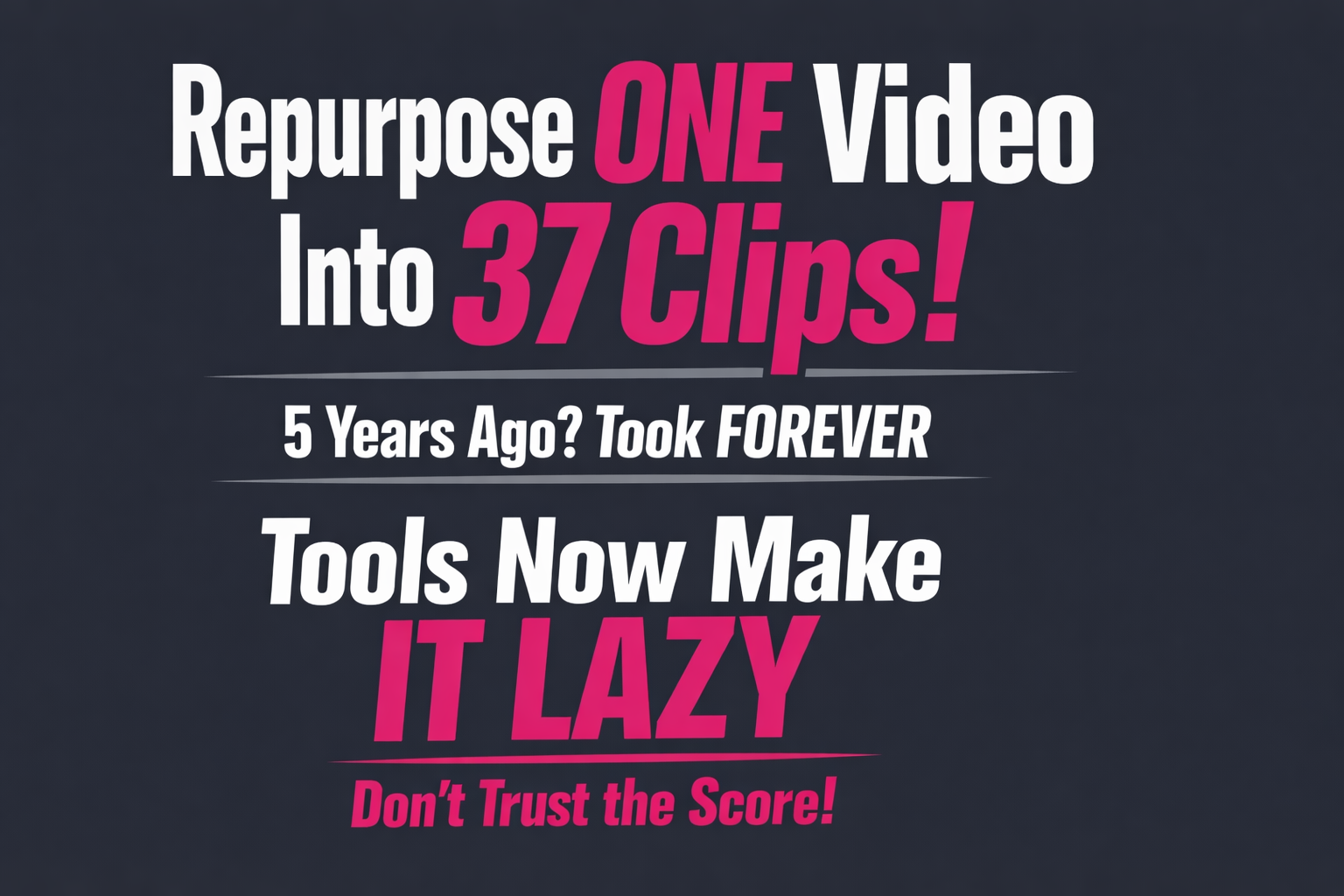
The tools exist now to make this possible. Five years ago this would have taken forever. Transcripts cost money, editing took hours, and the whole thing was painful enough that it just never happened. Now I can go live, download the video, run it through Opus, and get 37 clips back. Most of them will be rubbish, but five will be great, and that is five video to social media clips I did not have to think about. The trick is not falling for the score Opus gives each clip. Some of the best ones are right at the bottom.
Where AI helps (and where it absolutely doesn’t)
And here is where people get it wrong with AI. They take the caption Opus gives them and they just post it. Block text, irrelevant hashtags, no call to action, not in their voice. That is lazy. That is AI slop. What I do is take the transcript and the context and run it through ChatGPT with my own prompt that writes it in my voice, hooks the reader in emotionally, and drives them somewhere specific. ChatGPT knows me now. It knows how I speak. That only works because I have been feeding it my actual thinking, not asking it to think for me.
This is not about automation replacing the human bit. It is about using the tools to elevate the human bit. Video is still me. The live is still me. The opinion is still mine. AI is just helping me not spend six hours a week on Canva or rewriting captions manually. People can spot AI content a mile off now, and they are turning away from it. But they cannot spot when you have used AI to polish your own words, because your words are still in there. That is the difference.
Human first. Systems second. One video doing all the work.
The tools that make repurposing actually possible (because five years ago this would have taken forever)
Here’s the thing that makes this entire system work. Five years ago, if you wanted to repurpose one video into clips, you’d be doing it manually. Transcripts cost money. You’d have to watch the whole thing, mark out the good bits, export each clip individually, custom edit them, and pray to God that the export settings were right. Hours of work. Which meant it just never happened.
I discovered Opus in 2023 and it completely changed how I create content from video. Now it’s simple. Go live, download the video, run it through Opus Pro, and you get 37 clips back. Most of them will be rubbish. But five of them will be great. And that’s five pieces of content you didn’t have to think about, plan, or storyboard.
Why Opus Pro beats manual editing every time
Here’s the process. Upload your video file into Opus (or drop a YouTube link if it’s public). Opus will chop it up, add captions, and score each clip based on what it thinks will perform well. You’ll get clips ranging from 30 seconds to a couple of minutes, all formatted for vertical platforms.
The critical thing to know is this. Do not fall for the score Opus gives each clip. It delivers them in order from high score to low, and some of the best clips are right at the bottom. I’ve seen this over and over. The ones Opus rates as 90% virality potential are often boring. The ones it scores at 40% are sometimes exactly what I need. Watch them all. You’re looking for strong hooks, clear points, and emotional connection, not a number generated by an algorithm.
I use Opus Pro because it gives me unlimited clips on my plan, and I don’t feel like I’ve paid for the ones I’m going to discard. Some platforms charge per clip. That’s a terrible model when you’re generating dozens and keeping five.
The supporting cast: Restream and Descript
If you’re going live, I use Restream to broadcast and store the video. You can go live to multiple platforms at once, then download the raw file afterwards from the recordings section. It also gives you a transcript if you need it, which is helpful for turning the same content into blog posts or podcast show notes.
For transcription or light editing, Descript is brilliant. You can edit the video by editing the words, which feels like magic the first time you do it. Delete a sentence from the transcript and it deletes it from the video. I use it mostly for cleaning up podcast episodes, but it’s also great if you want to grab a quick transcript to feed into ChatGPT or Claude.
The shift here is not just that these tools exist. It’s that they make the impossible lazy. You can now turn video into clips for every platform without spending six hours a week on it. The work is in choosing the good clips, tweaking the captions so they don’t sound like AI slop, and actually posting them. The rest is automated. That’s the difference between a system that works and a system you abandon after two weeks.
Where People Get It Wrong with AI (and Why Most Clips Look Like AI Slop)
Here is the most common mistake I see. You run your live through Opus. You get back 37 clips. Half of them look decent. You pick one, and there is the caption Opus gave you. It is a block of text with irrelevant hashtags, no call to action, and absolutely none of your voice. And you just post it. That is lazy. That is AI slop. That is exactly the thing people can spot from halfway down their feed, and they are turning away from it.
This is not about being anti-AI. I use AI all bloody day. ChatGPT has my entire life in its memory at this point. But the way most people use it to repurpose one video into clips is completely backwards. They are letting AI think for them instead of feeding it their own brain first. And the difference between those two things is the difference between content that sounds like you and content that sounds like everyone else.
What I Do Instead (And Why It Works)
I take the transcript and the context from the clip. I run it through ChatGPT with my own prompt that writes in my voice, hooks the reader emotionally, and drives them somewhere specific. ChatGPT knows me now. It knows how I speak, how I punctuate, what I care about, and what I never say. That only works because I have been feeding it my actual thinking for months. Not asking it to think for me. Feeding it transcripts, voice notes, opinions, rants. All of it. High quality human input, not prompts like “write me a caption about productivity.”
If you want to turn video into clips for every platform without sounding like a robot, you need to train the AI on your voice first. I have a whole system for this in Build a Brand Voice Prompt That Makes AI Sound Like You. It walks you through building a reusable voice profile that you can drop into every AI conversation so the output actually sounds like something you would say. Not corporate. Not generic. You.
The Thing About AI That Everyone Misses
People can spot AI content a mile off now. The rhythm is wrong. The phrasing is too polished. The metaphors are tired. They scroll past it. But they cannot spot when you have used AI to polish your own words because your words are still in there. That is the difference. AI should not replace the human bit. It should elevate it.
The video is still you. The live is still you. The opinion is still yours. You are the one who showed up and said something worth clipping in the first place. AI is just helping you not spend six hours a week on Canva or rewriting captions manually. That is what it is for. To maximize content from a single video, not to create content from a single video. The content already exists. You made it. AI just helps you get it everywhere without losing your mind.
And if you are sitting on transcripts, voice memos, old lives, anything with your actual thinking in it, you can build a searchable brain bank of all of it using the Brain Bank System. That way every time you need a caption, a post idea, or a way to explain something, you are pulling from what you have already said, not asking AI to make something up.
This is not about automation replacing you. It is about using the tools to sound more like yourself, not less. And the sooner you stop treating AI like a content vending machine and start treating it like an assistant who needs to know how you think, the sooner your clips will stop looking like AI slop.
How to actually repurpose one video into clips for every platform without creating custom content
Here’s what I do every single Tuesday at 11 AM. I go live for 30 minutes, download the video, and run it through a tool that spits out clips. Then I grab the five good ones, rewrite the captions in ChatGPT using my own prompt, and post them. That’s it. That’s how you repurpose one video into clips without sitting on Canva for six hours nudging pixels around like some kind of martyr.
This isn’t complicated. You don’t need design skills. You don’t need to create platform-specific content. You just need to stop overthinking it and follow a system that actually works.
The step-by-step process I use every week
First, go live. Or record one 30-minute video if live terrifies you. It doesn’t matter what platform you use, just talk about something helpful for 30 minutes. Download that video once you’re done.
Next, run it through Opus Pro. This is the tool that changed everything for me. You upload your video and it generates clips automatically. I usually get around 37 clips back. Most of them will be rubbish. Maybe five will be great. That’s still five pieces of content I didn’t have to think about.
Here’s the trick that most people miss: don’t trust the scores Opus gives each clip. The platform ranks them from high to low based on what it thinks will perform well, but I’ve found some of my best clips hiding at the bottom of that list. Scroll all the way down and watch them yourself. Your judgment matters more than an algorithm’s guess.
For each clip you want to use, grab two things from Opus: the context and the transcript. This is where it gets good. Opus gives you a caption, but it’s usually block text with irrelevant hashtags and no call to action. It’s not in your voice. If you just post that, you’re creating AI slop and people will scroll right past it.
Turn video into clips that actually sound like you
Take the context and transcript from Opus and run them through ChatGPT with your own prompt. Not Opus’s caption. Your prompt. This is where you control what the clip actually says and where it sends people.
Your prompt should do three things: hook the reader emotionally with the first sentence, write the caption in your voice, and include a call to action that drives somewhere specific. Maybe that’s your email list, maybe it’s a YouTube video, maybe it’s a product. ChatGPT knows me now because I’ve been feeding it my actual thinking for months. It writes captions that sound like me because I’ve taught it how I speak.
If you want to polish the video before you upload it to Opus, you can run it through Descript first for editing and transcription. I do this sometimes if I’ve said something backwards or there’s a weird pause I want to cut. But it’s optional. Most of the time I just throw the raw video straight into Opus and let it rip.
Once you’ve got your rewritten caption from ChatGPT, post the clip with that caption. Same clip can go on Facebook, Instagram, LinkedIn, YouTube Shorts, TikTok if you’re into that. The platforms don’t care if it’s the same video. They care if it’s useful.
This is how I maximize content from a single video without burning out or hiring a team. One live, 37 clips, five keepers, all posted with captions that actually sound like me. That’s the system. That’s what works.
Work what you have harder, not more
Here’s something I need you to understand. When you repurpose one video into clips, you’re not just solving a content problem. You’re solving a business problem. And that problem is this: we think we need more when what we really need is to get more out of what we’ve already got.
This applies to everything, not just content. I see it constantly. People think they need more followers when they haven’t worked the audience they’ve built. They think they need more platforms when they’re barely showing up on one. They think they need more lead magnets, more offers, more webinars, more courses, when they haven’t squeezed every bit of value from what they’ve already created.
The default response is always ‘more’
When results slow down, the panic reflex kicks in. Add another platform. Create more content. Do more things. And what happens is you end up scattered, exhausted, and still not getting traction because you haven’t systemised what you’re already doing. You’re just adding more plates to the juggle.
Going live once a week with one helpful piece of content that then becomes clips and shows up everywhere beats scattered custom posts across platforms that drain your time any day of the week. It’s the difference between being in control and being controlled by the content treadmill.
Maximize content from a single video
I’ve said this before and I’ll keep saying it: we are not doing enough with the leads we already have, the content we’ve already created, the audience that’s already watching. Using live video for content creation isn’t about churning out more stuff. It’s about creating one strong thing and letting the systems do the rest.
This is why repurposing works. It’s why turning video into clips for every platform is not lazy, it’s strategic. You create content from video once, and then you get mileage from it for weeks. That’s leverage. That’s working smarter. That’s the opposite of more.
I think perhaps the hardest shift to make is realising that the answer to slow growth is rarely more effort. It’s better systems for what exists. It’s working what you’ve already built harder. It’s making one video count ten times instead of making ten videos that count once.
If you want systems that actually work and don’t feel like another thing to manage, join The Strategy Lab for £4 a month. You’ll get the full playbook for The 30-Minute Visibility Ramp-Up, plus every other tool in the store. It’s designed for business owners who are already doing the work and just need the systems to catch up.
https://cordeliakate.com/skool
https://app.cordeliakate.com/download/the-30-minute