

Introduction
I see this all the time. You sit down to create a PDF lead magnet and suddenly your mind goes blank. Or worse, you overthink it, cram everything you know into one document, and end up with something no one actually finishes. Neither extreme helps you grow your list or build real trust.
I wrote this to answer one thing clearly: what should go into a PDF lead magnet. I cover what to include, how to lay it out so people read it, what needs to happen after someone downloads it, and how to make sure it links cleanly to what you sell.
Most of the time, you already have the material. This is rarely about inventing something new. It is usually about using what you have, properly.
Key Takeaways
- I often find you do not need new content at all. Material from past workshops, webinars, or coaching calls can become a strong PDF lead magnet. It tends to feel more grounded because it comes from real conversations and real work.
- Layout matters as much as content. People skim before they decide to commit. I keep lines short, use clear headers, and leave space on the page. When something looks easy to read, it usually gets read.
- The PDF is the start of the conversation. It is not the whole strategy. A short automated email sequence after the download is what builds enough trust to move someone towards working with you.
- I do not believe urgency has to mean pressure. When I position a lead magnet around something my audience is actually dealing with right now, downloads increase. No fake countdowns needed.
- If there is no clear bridge to your paid offer, you are leaving work undone. The content should lead naturally to a problem that still needs proper support, with a plain and specific call to action for the next step.
If any of that resonates, the full article breaks it down into practical steps you can actually use.
Start With Content You Already Have
If you’re staring at a blank document thinking what on earth am I meant to put in a PDF lead magnet, pause. Honestly. The answer is almost definitely already sitting somewhere in your business, waiting to be reused.
You Don’t Need New Ideas — You Need to Look Backwards
Go back to the last webinar you delivered. The workshop you ran. Even a coaching call where someone said, “this is so useful.” That’s your gold. The transcripts from those sessions? They’re often better than anything you’ll try to write from scratch because they capture how you actually explain things. In your words. In the language your audience already responds to.
Repurposing what you’ve already created is just more efficient. I don’t know why we insist on making this harder than it needs to be. So many business owners burn hours trying to produce something shiny and new, when they’re sitting on genuinely valuable material that’s just never been packaged properly. Turning existing content into a PDF lead magnet cuts the workload down massively. Less effort. Same expertise.
If you’ve got rough transcripts and they look like a chaotic wall of text, that’s normal. The issue isn’t the quality — it’s the structure. This is where tools like Claude AI are useful. You move from mess to outline. From ramble to something readable. It won’t replace your thinking (and it shouldn’t), but it’s very good at spotting patterns and pulling order out of the chaos without you needing to hire a copywriter or spend days editing.
PDF lead magnet essentials don’t need to be complicated. A tight summary of a workshop. A cleaned-up version of your most-asked questions. A straightforward guide based on a talk you’ve given over and over again. These work because they’re rooted in actual experience. People can feel when something comes from lived knowledge versus when it’s been padded out to hit a word count.
Start there. Seriously.

Keep It Scannable for Fast Consumption
When you’re asking yourself what should I put in a PDF lead magnet, content is only half the story. The other half is how it’s laid out. Most people won’t read your PDF cover to cover — they’ll skim it, hop around, and decide in a few seconds whether it’s worth sticking with.
Write for the Scanner, Not the Scholar
This isn’t a dig at your audience. It’s just reality. People are busy. They’re cautious. They’ve downloaded plenty of PDFs that overpromised and underdelivered. So when you’re creating a PDF lead magnet, your job isn’t to sound impressive. It’s to make the value obvious, immediately — not hidden in dense paragraphs.
Short, punchy lines usually do more heavy lifting than long, flowing explanations. Strip each idea back to its smallest useful form. One insight per bullet. One action per step. If someone can skim your PDF and still take away something genuinely useful, you’ve nailed it.
Structure Is the Real Content
White space, headers, bullet points — they’re not design extras. They are the message. People gravitate towards what’s easy to scan. They’ll spend more time with something that feels clear and organised than something that looks like a wall of text. The best content for PDF magnets isn’t just well written. It’s well structured.
Some practical ways to make your PDF lead magnet essentials scannable:
- Use bold text to highlight the single most important idea in each section
- Keep bullet points to one line where possible
- Add a clear header every time the topic shifts
- Leave breathing room between sections — white space isn’t wasted space
- Put your core takeaway at the top of each section, not the bottom
I think this is the bit people underestimate. They obsess over wording, tweak sentences for hours, and then present it in a way that feels heavy to read. And then they wonder why nobody finishes it.
Effective lead magnet content respects your reader’s time before it asks for their attention. If you’re wondering how to make a PDF magnet that people actually finish — or at least act on — scannability is where the real answer sits. A beautifully written PDF that nobody reads doesn’t help anyone.
Leverage Email Follow-Up for Real Engagement
When you’re asking what should I put in a PDF lead magnet, it’s very easy to obsess over the document itself. Formatting. Design. Fonts. All of it. But the PDF isn’t the end goal — it’s the doorway. What happens after someone downloads it? That’s where the real work starts.
Your Lead Magnet Captures Attention. Your Emails Build Trust.
Creating a PDF lead magnet is step one of a bigger conversation. The download gives someone a reason to hand over their email address. Fine. But it’s your follow-up sequence that turns a curious stranger into someone who might actually buy from you.
And this is where I see things fall apart. People pour hours into their PDF lead magnet essentials… and then send one welcome email. Or worse, nothing. Just silence.
That’s a missed opportunity. And honestly, it happens all the time. And it’s usually not because people don’t care — it’s because they haven’t set up a system to deliver and follow up automatically. Instead, they’re manually emailing PDFs, forgetting to reply, or telling themselves they’ll “sort the sequence out later”. Later rarely comes.
This is exactly why having a simple email platform in place matters. If you’re going to bother creating a lead magnet, you need something that can automatically send the PDF and trigger the short follow-up sequence we’re about to talk about. Otherwise, you’ve built a doorway that opens onto nothing.
Automated email sequences work well for a simple reason: timing. They arrive right after someone has shown interest. Not six weeks later. Not randomly. Immediately. You’re not interrupting their day — you’re continuing something they chose to start. That timing shifts everything.
Choosing Tools That Don’t Overcomplicate Things
If you’re not using an email platform yet, this is the moment to sort that out. You don’t need an elaborate funnel builder or a tech stack that requires a weekend of tutorials. Something straightforward like AWeber is more than enough to deliver your PDF automatically and run a clean 4–5 email automation in the background — without you touching it every day.
Tools like AWeber and MailerLite are solid options — not because they’re flashy, but because they make it straightforward to build a simple automated sequence without needing to be “techy”. Both have entry-level plans for smaller lists. Both let you drip value over time instead of dumping everything into one overwhelming message. The goal isn’t complexity. It’s consistency.
Simple tools, serious results
And that matters.
Effective lead magnet content isn’t about cramming your brilliance into one PDF. It’s about leaving enough unsaid so the emails have somewhere to go. I think that’s the bit people miss. The sequence is the follow-through on the promise your PDF made.
Here’s what a simple follow-up sequence might include:
- A delivery email that confirms the download and sets expectations
- A second email that expands on one idea from the PDF with a practical tip
- A third email that addresses a common mistake or misconception in your niche
- A fourth email that introduces how you work and what problems you solve
- A fifth email with a soft, clear call to action — a conversation, a product, a next step
If you can picture those five emails, you can set them up once inside a platform like AWeber and let it handle the delivery automatically. No BCC lists. No late-night manual sends. No awkward gaps where someone downloads your PDF and hears nothing for weeks.
You don’t need ten emails. You need a handful that feel connected. Logical. Like the next natural step. Not a frantic sales barrage.
When you think about how to make a PDF magnet that actually converts, the honest answer is this: the PDF rarely does the heavy lifting on its own. The sequence closes the loop. Set it up before you launch, not after. And if you’ve already got a lead magnet sitting there with no follow-up attached, that’s probably the first thing to fix.

Create Urgency to Drive Downloads
When you’re thinking about what should I put in a PDF lead magnet, it’s easy to obsess over the content inside — and completely ignore the bit that actually gets someone to click download. The content matters. Obviously. But that split second before they decide whether it’s worth it? That’s half the job.
Use Scarcity and FOMO to Push the Decision Forward
Urgency works because people are human. Loss aversion is real. FOMO is real. We’re far more motivated by what we might miss than by what we might gain. Used well, a small urgency cue can nudge someone who’s hovering into action — without you piling on pressure or sounding desperate.
And no, you don’t need a giant countdown clock flashing across your page. Please don’t. When you’re creating a PDF lead magnet, urgency can be simple. It might be framing it as relevant right now. Or connected to something changing in your industry. Or seasonal. The point is it feels earned. Not bolted on because some marketing blog told you to “add scarcity.”
Creating genuine urgency
A/B testing shows urgency-based messaging can lift conversions by over 10%. That’s not minor. That’s a solid bump from a few lines of copy or a positioning tweak — not a new funnel, not a tech headache. If you’re pouring energy into crafting the best content for PDF magnets but ignoring how you position the offer itself, you’re probably leaving downloads sitting there.
Here are practical ways to build honest urgency into your lead magnet promotion:
- Frame the offer as time-sensitive — “available this month only” or “relevant to what’s shifting right now in your industry”
- Tie it to a current event, season, or a live problem your audience is actively dealing with
- Use language that’s clear about what they’ll miss if they don’t act — not manipulative, just truthful
- Limit a bonus or companion resource to early downloaders, if that genuinely makes sense in how you’ve set it up
The mistake I see most often is treating urgency like a gimmick. It’s not a trick. It’s positioning. Effective lead magnet content earns urgency because it solves a problem that matters now. The promotion just reflects that reality.
If your PDF lead magnet essentials are solid and the timing actually makes sense, a light touch of urgency simply removes the “I’ll come back to this later” excuse. And we both know later usually means never.

Bridge to Your Paid Offer
One of the most common questions I hear is: what do I actually put in a PDF that does something useful? And nearly every time, the answer is the same — it has to connect directly to what you sell.
Make the Next Step Obvious
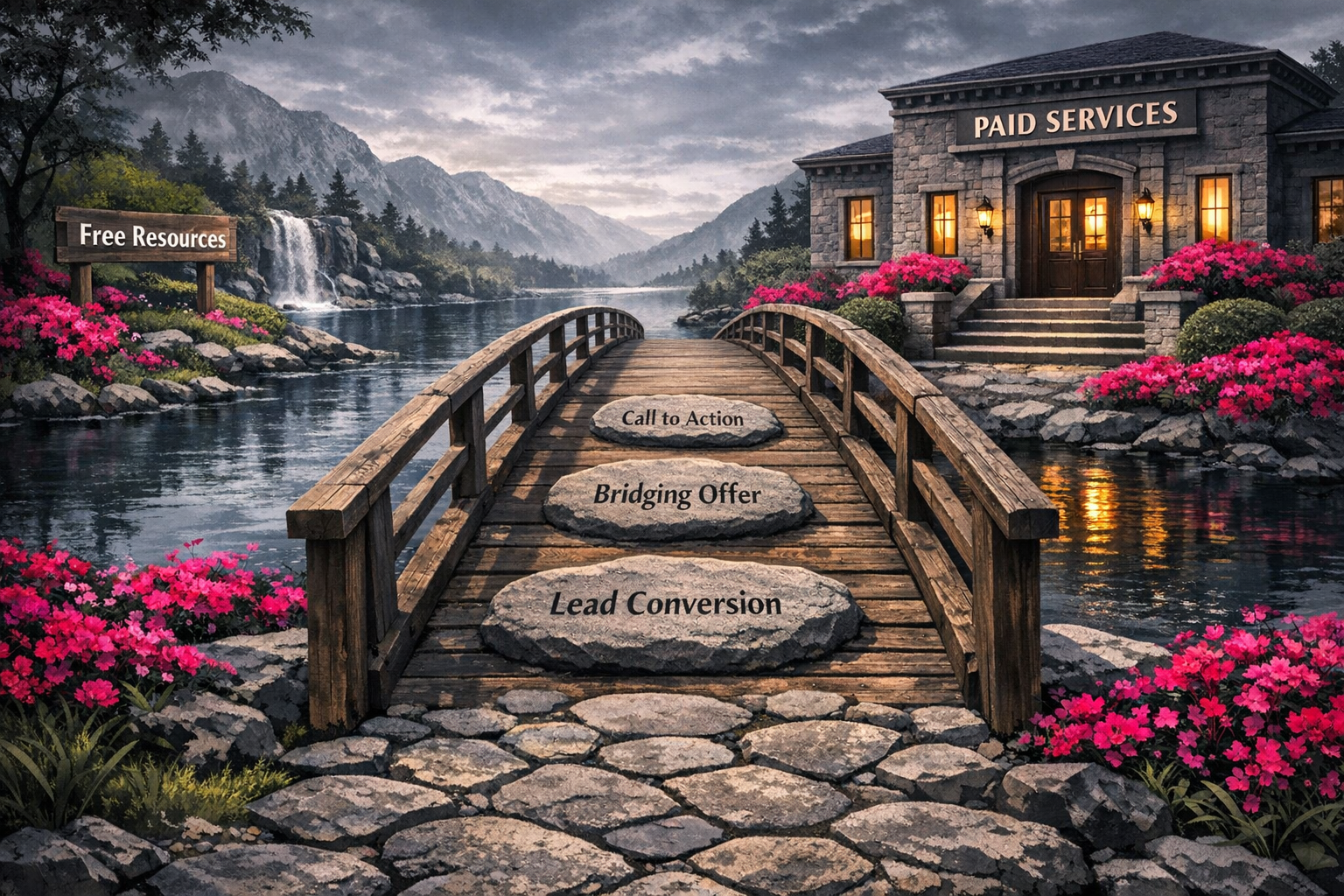
A PDF lead magnet that teaches something helpful but then… goes nowhere? That’s a missed opportunity. If you’re creating a PDF lead magnet, the content inside it should naturally lead to a problem that still needs solving — ideally the one your paid offer is built for.
Think of it less as a free resource and more as the first part of an ongoing conversation. You’re not trying to give everything away — you’re showing what’s possible and building trust. And then you’re being clear about how someone goes deeper.
I think this is where people get awkward. They’ll give loads of value, which is great, and then suddenly go shy about mentioning what they actually sell. As if saying, “Here’s how I can help you further,” is somehow pushy. It isn’t. It’s useful.
Connecting lead magnet to next step
Here’s what to consider when bridging your PDF to a paid offer:
- End with a specific call to action — not a vague “get in touch,” but a clear next step linked to what you offer
- Reference the gap between what the PDF covers and what working with you would unlock
- Name your offer plainly — don’t be coy about what it is or what it costs
- Keep the tone consistent so moving from freebie to paid offer feels natural, not salesy
If you’re unsure how to phrase your call to action, generative AI tools can genuinely help here — not to write the whole PDF for you, but to draft a few bridging options so you can choose the one that actually sounds like you. It’s a small use case. But a practical one.
Effective lead magnet content earns trust first and converts second. If your PDF is pure value with no bridge, you’ve done the hard work of getting someone’s attention… and then quietly stepped out of the conversation.
Sources:
Lead Magnet Usage: Engagement vs Downloads (Leadpages, 2024)